No-Code Game Development Is Finally Here and It’s Better Than Expected

For years, no-code game development promised to make game creation accessible to everyone. The idea sounded exciting, but many tools still required complicated menus, visual scripting, confusing logic systems, or hours of tutorials before a beginner could build anything playable.
That is beginning to change.
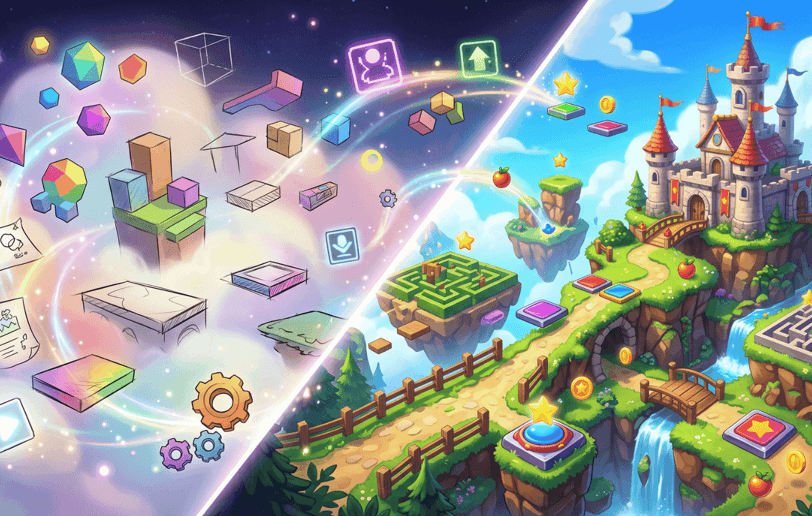
Modern AI-assisted game makers can now help creators turn a plain-language idea into a playable prototype without writing traditional code. Some tools generate browser games, while others provide visual controls, editable mechanics, project exports, mobile publishing, or AI-assisted level design.
The technology is not perfect, and no-code does not mean no work. You still need to make design decisions, test the game, fix confusing systems, and decide what makes the experience worth playing.
But the starting point is much easier than it used to be.
What no-code game development actually means
No-code game development means creating a game without manually writing programming syntax. Instead of typing code, creators may use:
- Visual editors
- Drag-and-drop objects
- Rule builders
- Natural-language prompts
- Adjustable sliders
- Prebuilt mechanics
- AI-generated systems
- Reusable templates
- Visual logic blocks
AI game makers extend this idea by allowing creators to describe the game they want in ordinary language.
For example, instead of manually programming a collision system, you might write:
Make the player lose immediately when they touch an enemy trail.
Instead of building a level from individual objects, you might write:
Create a clean arena with open areas, narrow routes, and several risky shortcuts.
The tool may then generate a first version that you can play and adjust.
Some current platforms publicly describe this prompt-to-playable workflow. MakeGame says it creates playable HTML5 games from text descriptions, while other platforms focus on visual editing and natural-language changes.
Why no-code tools feel better now
Earlier no-code tools often helped with only one part of the process. You might have been able to place objects visually, but still needed to understand events, conditions, variables, and game logic.
Newer tools combine several tasks into one workflow:
- Describe the concept.
- Generate a playable version.
- Test the result.
- Request changes.
- Adjust difficulty and presentation.
- Share or export the project.
That shorter feedback loop is the biggest improvement.
Creators no longer need to spend days preparing a project before discovering whether the central mechanic is fun. They can test the basic idea much earlier.
This is valuable for:
- Solo game creators
- Students
- Teachers
- Designers
- Content creators
- Game jam participants
- Small studios
- Entrepreneurs testing interactive ideas
- Beginners without programming experience
The result is not necessarily a finished game. It is a faster way to discover whether an idea deserves more development.
The biggest advantage is faster experimentation
A traditional game project can become expensive before the creator knows whether the main idea works.
You may spend time designing characters, creating menus, building levels, and preparing art before discovering that the core interaction feels boring.
No-code development changes the order.
You can start with the main mechanic and test it before investing in a presentation.
For example, if you want to create a territory game, the first prototype only needs:
- A player-controlled object
- An arena
- A movement system
- A way to claim space
- A hazard
- A loss condition
You do not need ten maps, a complicated shop, or a large character collection before testing whether claiming territory feels satisfying.
This approach saves time and makes failure less expensive. If the concept does not work, you can change it quickly instead of abandoning a project that took months to build.
A competitive territory example
Papercut.io is described as a fast and strategic 3D arena territory game where players steer a block by swiping, close loops to claim land, and avoid enemy trails because crossing one means instant elimination. The concept combines spatial awareness, quick reflexes, risk management, and a clean minimalist presentation.
For a no-code creator, this type of design is useful because the central rule is easy to explain. A small first prototype could include:
- One arena
- One controllable block
- A simple trail
- A loop-closing mechanic
- A claimable area
- One instant-elimination hazard
- A restart button
After testing that core loop, the creator could experiment with larger arenas, different movement speeds, visual effects, territory bonuses, or more complex routes.
The supplied summary confirms a competitive .io-style design, but it does not independently confirm live multiplayer, current matchmaking, player numbers, or the development method used to create a game.
AI removes technical barriers, not creative responsibility
No-code tools make implementation easier, but they do not automatically make design decisions for you.
You still need to answer:
- What does the player do every few seconds?
- What makes the game difficult?
- What makes it satisfying?
- How does the player know what to do?
- Why should the player try again?
- What separates the game from similar titles?
- When should new mechanics appear?
- How much randomness is enjoyable?
A creator who has no coding experience can still learn game design. In fact, no-code tools may make design more important because the technical barrier is lower.
When everyone can create a playable prototype, the strongest ideas will come from creators who understand players, pacing, clarity, and replay value.
The best way to start a no-code game
Do not begin with a massive idea.
Start with a short design sentence:
Create a minimalist arena game where the player claims open areas by closing movement loops, but loses instantly if the trail touches an opponent’s path.
This sentence gives the tool a genre, mechanic, goal, and danger.
You can then add details in stages:
First prompt: core mechanic
Ask for the player movement and main action.
Second prompt: objective
Explain how the player earns progress or claims space.
Third prompt: danger
Add the hazard that creates tension.
Fourth prompt: feedback
Ask for visual or sound feedback when the player succeeds or fails.
Fifth prompt: difficulty
Introduce faster movement, smaller routes, or more complicated layouts.
Sixth prompt: presentation
Add colors, a clean interface, camera adjustments, and instructions.
This staged process is easier to control than one massive prompt containing every possible feature.
What creators can build without coding
The range of no-code projects is growing quickly.
Simple arcade games
These include runners, reaction games, score challenges, and survival rounds.
Platformers
Creators can build jumps, platforms, traps, checkpoints, and level progression.
Puzzle games
Visual rules and AI prompts can help create matching systems, path puzzles, timing challenges, and object-placement games.
Racing games
A basic racing prototype may include tracks, checkpoints, speed boosts, obstacles, and lap systems.
Physics games
No-code tools can help creators experiment with launching, bouncing, stacking, falling, swinging, and collision-based mechanics.
Educational games
Teachers and creators can build small quizzes, memory games, geography challenges, or interactive learning activities.
Social mini-games
Simple party games, score challenges, and shareable browser experiences can be created for short sessions.
The important limitation is scope. No-code tools are most effective when the creator begins with a focused experience rather than trying to build a huge open-world game immediately.
Features to look for before choosing a platform
Not every no-code game tool offers the same level of control. Before starting a serious project, check the following.
Editing options
Can you change movement speed, enemy behavior, gravity, level structure, rewards, and visuals after generation?
Project ownership
Do you own the game, assets, and source files? Are there restrictions on commercial publishing?
Export support
Can you export to the web, desktop, or mobile platforms? Some tools keep projects inside their own ecosystem.
Multiplayer capability
If you want live multiplayer, verify that the platform actually supports networking, matchmaking, synchronization, and player accounts. A competitive-looking game is not automatically a live multiplayer game.
Saving and version history
Can you restore an earlier version if a change breaks the project?
Performance
Does the game run well on phones, tablets, and slower computers?
Pricing and usage limits
Check generation limits, export fees, premium features, storage, and publishing charges before building around one platform.
Some current tools highlight broader export options, including web, desktop, and mobile builds. Exekite, for example, publicly promotes these options and claims that creators retain access to their game and code. Review the latest terms carefully because platform conditions can change.
Why testing is still the most important step
A no-code tool can give you a working prototype quickly, but the first version is rarely balanced.
You need to test:
- Whether controls feel responsive
- Whether the objective is obvious
- Whether players understand failure
- Whether the first challenge is too easy
- Whether difficulty increases fairly
- Whether rewards feel meaningful
- Whether the interface is readable
- Whether the game works on different screen sizes
Ask another person to play without explaining anything. Watch what they do.
Do they understand the goal? Do they press the correct button? Do they know why they lost? Do they want to try again?
These observations are more useful than asking whether they “liked” the game. Specific behavior reveals where the design needs improvement.
What no-code development still struggles with
The technology has improved, but it still has limits.
Complex systems
Large inventories, advanced artificial intelligence, deep economies, and sophisticated multiplayer features may require more technical control.
Consistency
AI-generated art, sound, and level layouts may not always feel like they belong to the same game.
Balance
A generated game may be playable but unfair, repetitive, or too easy to exploit.
Originality
A tool may produce familiar mechanics unless the creator gives it a distinctive direction.
Debugging
When several generated systems interact, identifying the cause of a problem can still be difficult.
Long-term maintenance
A project may need updates, performance improvements, security checks, and compatibility work as platforms change.
This is why no-code should be viewed as a development shortcut, not a quality guarantee.
How to make your no-code game stand out
The easiest way to create a forgettable game is to ask for a generic version of a popular genre.
Instead of making “another platformer,” choose a specific identity.
You could create:
- A platformer where the level changes after every failed attempt
- A territory game based on risky shortcuts
- A puzzle game where time moves only when the player moves
- A racing game where speed makes steering more difficult
- A survival game where every upgrade creates a new weakness
A memorable mechanic gives the game a reason to exist.
Presentation also matters. Use a consistent art style, readable colors, simple menus, and clear feedback. A minimalist game can feel more polished than a visually crowded one if every element has a purpose.
Astrocade and the new creator workflow
Astrocade’s creator-focused approach reflects the direction of modern game development. A person can begin with a written idea, generate a playable concept, test it, and continue refining it without first learning a complete programming language or traditional engine.
That lowers the barrier to experimentation. It also creates a faster connection between creators and players because early versions can be tested sooner.
For creators, the best workflow is:
- Start with one mechanic
- Build a small prototype
- Test it with real players
- Improve the weakest part
- Add content only after the core loop works
- Share the result when it is clear and reliable
The purpose of no-code development is not to avoid learning. It is to learn through making instead of spending months preparing before the first playable version exists.
Is no-code game development ready for serious creators?
For prototypes, small games, browser experiences, educational projects, and early concept testing, no-code development is already highly useful.
For large commercial projects, the answer depends on the tool and the scope. Some creators may eventually need access to source code, traditional engines, custom art pipelines, professional testing, and backend services.
The best path may be hybrid:
- Use no-code tools to test the idea.
- Identify the mechanics players enjoy.
- Improve the prototype.
- Move to a more advanced workflow if the project grows.
That approach lets creators reduce risk before committing to a larger production process.
No-code game development is finally becoming more than a beginner shortcut. It is becoming a practical way to test ideas, learn design, and create playable experiences without spending months on technical setup.
The tools can help you build the first version. Your understanding of players is what makes the second version better.