Ultimate Tips for Better Smartphone Battery Performance

Smartphone batteries lose strength over time. Ensuring your device lasts through your day requires simple yet effective battery management. With increasing dependence on smartphones for work, entertainment, and communication, learning how to maximize battery life becomes crucial. Here, we focus on practical tips to enhance your smartphone’s battery performance. By consciously managing settings, apps, and even the way you charge your device, you extend battery life efficiently. Additionally, your choice of smartphone significantly influences battery longevity, making it a key factor to consider when purchasing a new device. These strategies not only ensure more screen time but also prolong your battery’s overall lifespan.
Optimize Display Settings for Better Battery
Lower Brightness and Screen Timeout
The display is one of the biggest drains on your smartphone’s battery. Lowering the screen brightness to the minimum comfortable level can significantly conserve power. Auto-brightness is helpful, but manually setting it to a low level often yields better results. Additionally, reducing screen timeout—the duration before your phone’s display goes to sleep when not in use—can further enhance battery life. Set your screen timeout to 30 seconds or a minute to maximize energy conservation, especially if you frequently check your phone during the day.
Use Dark Mode and Adjust Refresh Rate
Using dark mode on your smartphone can help save battery life, particularly if your device has an OLED or AMOLED display, as these types of screens consume less power when displaying black pixels. Additionally, reducing the screen refresh rate can conserve battery power. Many modern smartphones offer high refresh rates for smoother visuals, however, opting for a standard refresh rate can extend battery life without heavily compromising user experience. Switching to dark mode and adjusting the refresh rate are simple yet effective strategies for better battery life.
Manage Apps and Features Smartly
Control Background Activity
Many apps run processes in the background, consuming battery even when not in direct use. Limiting background activity is a tactical approach to conserving battery life. Review your app settings and restrict background data usage for less critical apps. Android provides settings to stop apps from refreshing in the background, preserving essential battery power. This allows active usage to consume the energy required, rather than background processes unnecessarily draining the battery.
Turn Off Unused Features
Modern smartphones come with a plethora of features, not all of which you use, and many can impact battery life. Wireless features like Bluetooth, GPS, NFC, and Wi-Fi scanning add to battery drain when enabled unnecessarily. Turning off unused features when not needed can result in significant power savings. For instance, only turn on GPS when you need location-based services. This targeted use ensures power is available when you truly need it, enhancing the efficiency of your smartphone’s battery life.
See also: Precision Agriculture Technology Explained
Improve Charging Habits
Avoid Overcharging
Constantly keeping your phone plugged in, especially overnight, can degrade the battery over time. Most modern smartphones automatically stop charging once they reach full capacity, but extended exposure to high voltage can still stress the battery. Unplugging your device after it reaches 100% helps prevent overcharging. Aim to keep the battery level between 20% and 80% for optimal performance and longevity.
Use Proper Chargers
Using the charger that comes with your phone or a certified equivalent is crucial. Fast chargers are convenient but can generate excess heat, potentially harming battery health. Avoid counterfeit charging accessories, as they may deliver uneven power, damaging the battery. Opt for chargers that align with manufacturer specifications to maintain your phone’s battery efficiency. Proper charging practices ensuring safety and longevity should be prioritized.

Device Choice Matters
Battery Capacity and Efficiency
When selecting a new smartphone, consider battery capacity and efficient power management as key factors. Larger batteries often offer longer life per charge, but efficient hardware and software optimizations can make a device last longer even with a smaller cell. Check for features like optimized battery usage settings and adaptive energy management, often highlighted in specifications.
Example: HONOR X7d 5G Battery Features
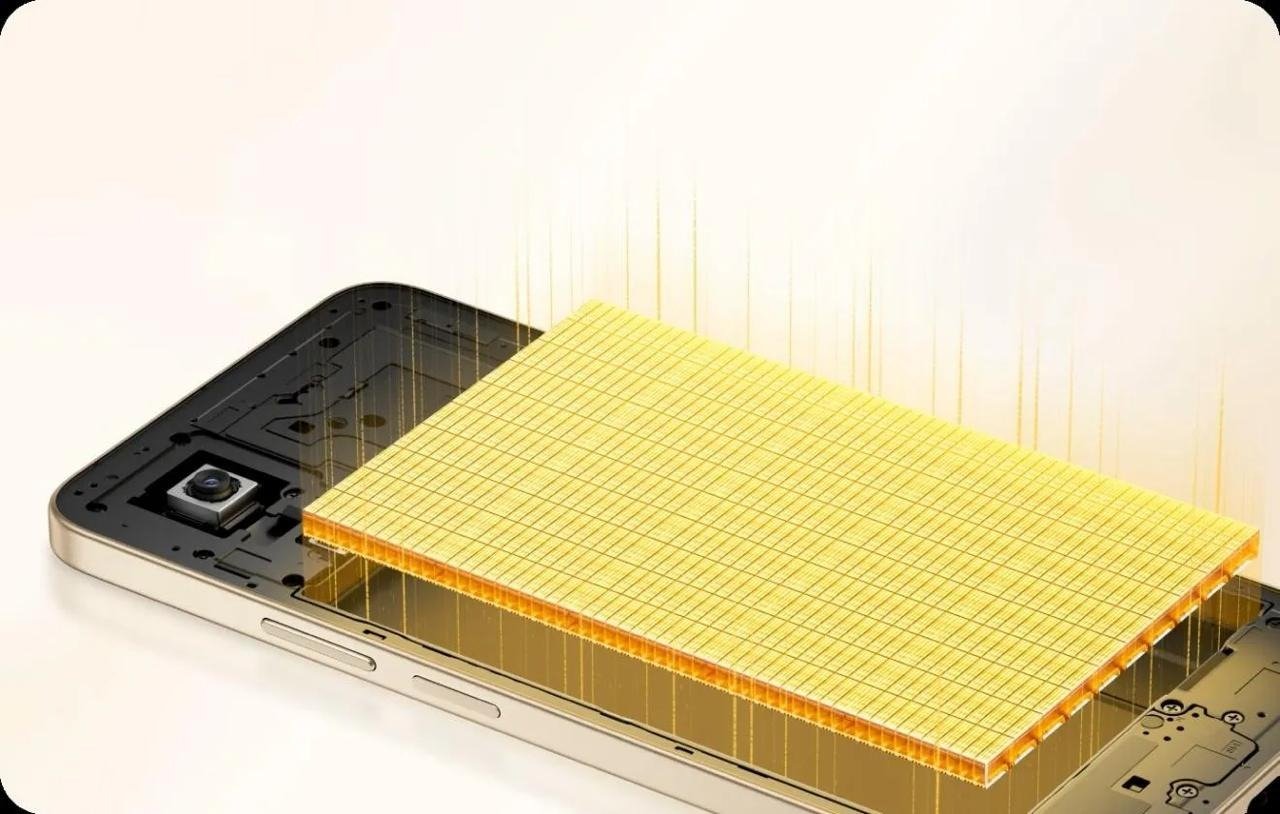
Devices like the HONOR X7d 5G phone exemplify excellent battery efficiency. Featuring a large-capacity battery, this phone supports long durations of use. Its smart power-saving technology extends the battery life by prioritizing essential functions and reducing energy drain from unnecessary processes. The smartphone’s combination of substantial battery size and energy-efficient hardware provides a longer lifespan, a crucial consideration for users seeking lasting battery performance.
Conclusion
Maintaining smartphone battery life is integral to daily efficiency and device longevity. By optimizing display settings, managing app activity, adopting proper charging habits, and considering battery efficiency when purchasing a new device, you ensure your smartphone operates at its best. These strategies not only extend daily usage but also ensure a healthier battery lifespan, aligning with advancing technology demands. Prioritizing these methods maintains your phone’s performance over time, reducing the frequency of charges and preserving battery health for future use. Apply these smart practices to enjoy a more reliable and long-lived smartphone experience.